iPhone & iPad
Add BlackPlate to your Home Screen
Three taps, no App Store. Get one-tap access to Black-owned restaurants right from your home screen.
- 1
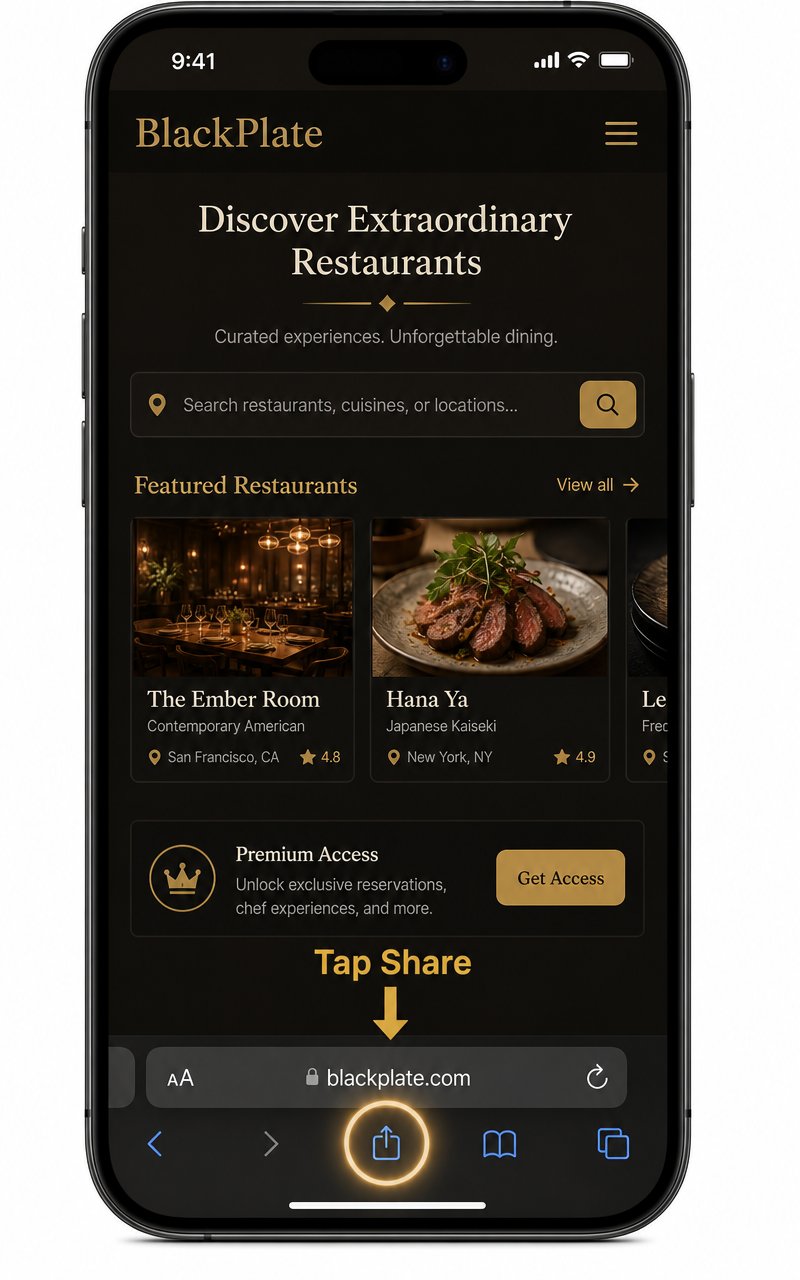
Open BlackPlate in Safari
Visit blackplatedelivers.com in Safari (not Chrome), then tap the Share button at the bottom of the screen — the square with an arrow pointing up.
- 2
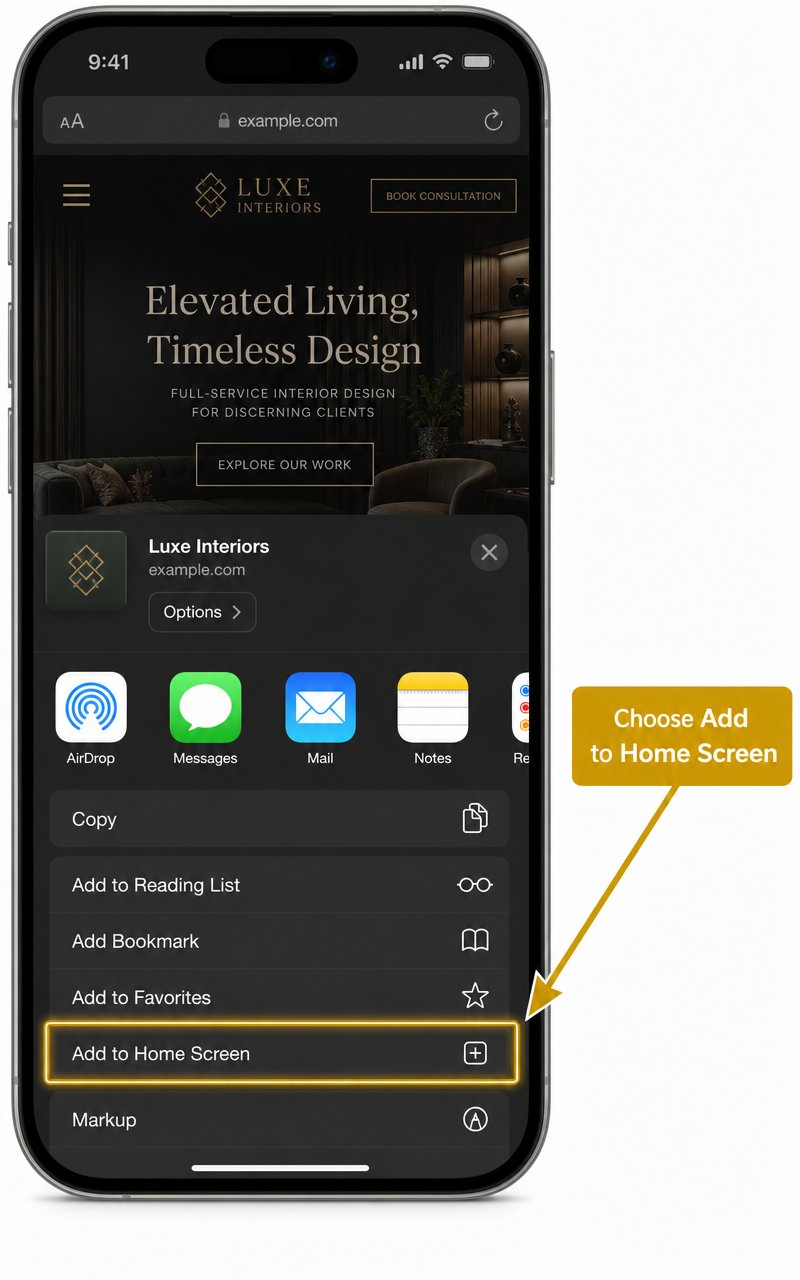
Tap “Add to Home Screen”
Scroll down in the share sheet until you see “Add to Home Screen”. Tap it, then tap Add in the top-right corner.
- 3
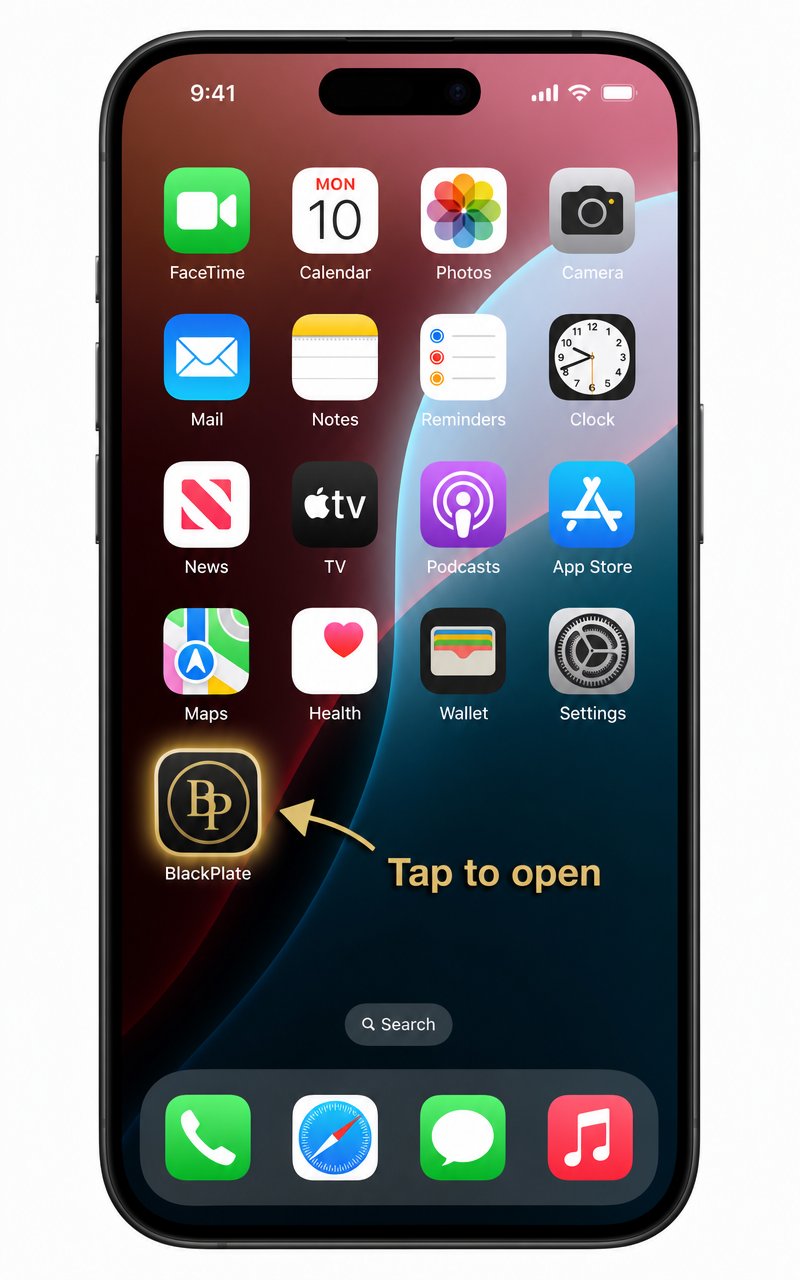
Open BlackPlate from your home screen
You’ll now find the BlackPlate icon on your home screen. Tap it any time to launch — it opens full-screen, just like a native app.
On Android?
In Chrome, tap the menu (⋮) and choose Install app or Add to Home screen. You'll see the BlackPlate icon on your home screen right away.